
8 keinoa parantaa Android-kokemusta

PCMag listasi 8 helppoa keinoa, joilla Android-puhelimesta saa vähemmän ärsyttävän. Keinot on lehden mukaan testattu Androidin 7.0 Nougat -versiolla. Toiminnot saattavat löytyä eri puhelimista ja käyttöjärjestelmäversiosta hieman eri paikoista.
1. Poista puhelimen mukana tulleet turhat ohjelmat käytöstä
Monien puhelimien mukana tulee paljon ylimääräistä säläohjelmaa, jolla ei tee mitään ja joka vain tuhlaa puhelimen kapasiteettia ja kuluttaa akkua. Usein näitä ohjelmia ei pysty poistamaan, mutta ne voi kuitenkin estää, jolloin ne eivät kuluta virtaa taustalla. Käytöstä poistaminen löytyy menemällä Asetukset -> Sovellukset ja napauttamalla sovellusta.
2. Poista näytön automaattinen kirkkaudensäätö käytöstä
Näytön automaattinen kirkkaudensäätö on oletusarvoisesti päällä kaikissa Android-laitteissa. Jos se toimii hyvin, sitä ei kannata poistaa käytöstä. Usein automaattisella kirkkaudensäädöllä on kuitenkin tapana mukautua liikaakin ympäröivään valaistukseen, jolloin näyttö on hämärässä liian pimeä. Jos toiminto ärsyttää, sen saa päältä kohdasta Asetukset -> Näyttö.
3. Kytke ”Ei saa häiritä” -toiminto päälle
Android-puhelimissa on mahdollista kytkeä päälle Ei saa häiritä -toiminto, jolloin turhat ilmoitukset eivät herätä pikkutunneilla. Sen voi asettaa kytkeytymään päälle ja pois tiettyyn aikaan, jolloin sitä ei tarvitse muistaa joka ilta kytkeä päälle. Toiminto löytyy kohdasta Asetukset -> Ääni tai joistain malleista suoraan Asetukset -> Ei saa häiritä. Asetuksiin voi määritellä myös poikkeuksia, jolloin esimerkiksi tärkeiden ihmisten soitot tulevat läpi.
4. Hallitse ilmoitusasetuksiasi
Yksi pakasta vedetyn Android-puhelimen ärsyttävimpiä puolia on ilmoitukset kaikesta turhasta. Onneksi siinä voi määritellä, mitkä sovellukset saavat lähettää ilmoituksia. Asetukset löytyvät kohdasta Asetukset -> Ilmoitukset.
5. Järjestä uudelleen alasvetovalikon näppäimet
Nougat 7.0 -versiosta alkaen yläreunan alasvetovalikon näppäimiä pystyy hallitsemaan. Säädöistä pystyy valitsemaan, mitkä pikanäppäimet valikosta löytyvät. Säätöihin pääsee käsiksi painamalla hampurilaisen kuvaa tai kynän kuvaa yläoikealla.
6. Räätälöi näyttölukon asetuksia
Puhelimeen kannattaa asettaa salasana tai jokin muu näytön lukitustapa varkaiden tai muiden ilkimysten varalta. Joissain puhelimissa on ominaisuus, joka tunnistaa milloin olet kotona eikä silloin pyydä sinua tunnistautumaan. Säädöt löytää kohdasta Asetukset -> Näyttölukko ja salasanat.
7. Käytä aina puhelimen omaa kamerasovellusta
Monissa some-henkisissä sovelluksissa on oma kameratoimintonsa, mutta se harvoin yltää samaan kuvanlaatuun tai säätöjen määrään kuin puhelimen oma kamera. Kannattaa siis useimmiten käyttää kuvaamiseen puhelimen kamerasovellusta ja tehdä vasta tarvittavat muokkaukset toisessa sovelluksessa.
8. Käytä vimpaimia
Aloitusruudun voi täyttää osan haluamallaan sisällöllä. Näin yhden välilehden voi täyttää esimerkiksi sähköpostilla ja kalenterilla, jolloin ei tarvitse avata itse sovelluksia pysyäkseen kartalla uusimmista viesteistä ja kalenteritapahtumista. Vimpaimia eli widgettejä pääsee säätämään painamalla pitkään millä tahansa aloitusruuduista ja naputella mieluisimmat sovellukset näkymään.
PCMagin pidemmän jutun löydät from here.
Most read today

Latest
Subscribe to the newsletter
Subscribe to our newsletter and stay up to date with the latest news in technology and entertainment electronics.
Survey
Quiz
Nokia phones
Related Posts
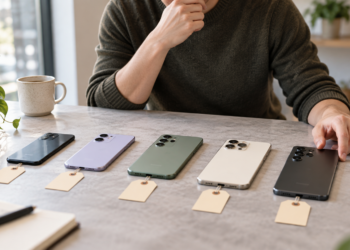
QUESTION: How much are you willing to pay for a phone?
The development of phones has also changed the differences in price categories. Previously, features seen only in expensive models are now found in even cheaper phones. Therefore, the question is not...
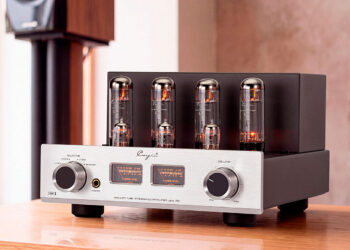
Cayin Jazz 70 – genuine tube sound and style at a reasonable price
The tube amplifier doesn't need to cost several thousand euros. The new Jazz 70 from Cayin brings classic EL34 tube technology, visible tubes, analog meters, and hand-crafted controls...

The use of artificial intelligence in music is growing rapidly, but there is still a lot to be learned about its use – at least in Finland.
Artificial music evokes significantly more reservations in Finns than the use of artificial intelligence in general. Artificial intelligence is rapidly becoming a part of everyday life, but the output it produces...
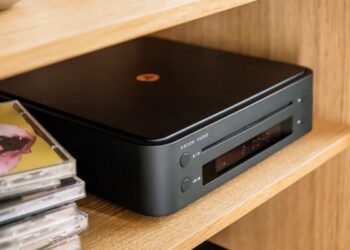
The new arrival of CDs is also reflected in devices – the Argon Audio CD1 is a new CD player priced at 399 euros
The arrival of vinyl records has been ongoing for a long time, and now a similar trend is also evident in CD records. Argon Audio responds to this interest with the new CD1 player,...

Audio-Technica ATH-AL5NC combines an open design and wireless connectivity – battery life up to 75 hours
Audio-Technica expands its range of open headphones with the ATH-AL5NC model, which is the manufacturer's first wireless open headphone. In addition to Bluetooth connectivity, it also features LDAC, noise reduction, and sound leakage...
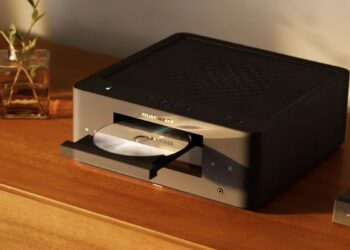
The Marantz MCR 60n combines CD, vinyl, streaming, and TV audio into one device
Marantz has introduced the new MCR 60 multi-functional device, which continues the manufacturer's long series of compact Melody systems. A web player, CD player, and...
 Suomi
Suomi  English