
Guide: Better photos with a smartphone 1 – Apps


There are hundreds of apps for processing images taken with smartphones, but which of them are good and effective?
Text: Matti Sulanto / Photos and screenshots: Matti Sulanto
Published in the AVPlus magazine 9–10/2017.
Almost everyone takes photos with their phone camera, and for many it’s the only means of capturing images – no wonder, as mobile cameras are really good nowadays. People want to share photos on social media, but before that a little extra effort can be in order. That requires a separate app, but which of the hundreds of them would be suitable?
Popular image sharing services have ready-made filters that can easily change the appearance of a photo, but they also wear out quickly because they always produce the same kind of result. There are plenty of photo editing apps for phones, some of which are suitable for even the most demanding processing and don’t even cost anything. Not nearly all photographers want to do actual photo editing. Some want to get the most out of it as quickly as possible, and they have options where with just a few taps on the screen you can add more edge to the image.
With the best apps, you can almost do the same things as Photoshop, but precise color control, photo collages, and other heavy processing should be left to computer applications. On the hardware side, phones could do more, but the touch-based interface and the relatively small screen are not suitable for all photo editing tasks.
Here are a few well-reviewed photo editing apps for phones. There are countless more apps in the app stores for similar tasks, but these are a good place to start. All of the apps presented are available for both Android and iOS devices, but the features may vary slightly between operating systems.

Snapseed
Google bought Snapseed in 2012, and since then it has been free. Snapseed is a very versatile photo editing app that can also handle raw photos, which pleases advanced photography enthusiasts and professionals. The app allows you to use the camera or open already taken photos.
The basic settings of the image are versatile, the interface is clear, and the image can be viewed enlarged if desired, which makes precise work easier. Editing the image’s sections is possible, as is placing text on top of the image and various image frames. There is also double exposure, where two images can be placed side by side, and the size and brightness of the images can be adjusted. There are even ready-made filters for those who don’t want to have to adjust more.
Snapseed is well suited for all photographers, but especially for those who want to customize their photos themselves. Although there are ready-made filters, using them alone wastes some of the features. Snapseed is free, there are no in-app purchases, and no registration or account is required. Using it is convenient because the app doesn’t constantly remind you of all the extra features you can get by paying.
Snapseed On Google Play / In the App Store
 Lightroom CC

In connection with last autumn’s update, Adobe split Lightroom into two products: Lightroom CC, which is lighter and more suitable for smartphone photographers, and Classic CC, which is more suitable for those who use other cameras and print photos.
In terms of features, Lightroom CC is versatile and the interface is very clear. The archiving and management of image files are LR's strengths, but the image processing features are also versatile. With Lightroom, you can use the camera or import already taken photos. Raw images are also supported. If you have multiple devices with the same user account, you can synchronize the images between them, so the same images are visible and editable on, for example, a tablet and a phone.
Lightroom CC allows you to adjust the tones and colors of the entire image, but it is also possible to adjust parts of the image. The tools are versatile, and there is
It’s hard to imagine something that shouldn’t be done with Lightroom. There are also ready-made filters available. However, combining images and removing unwanted elements are not included in the features. If the photos have been synced across multiple devices, the changes made will be updated on all of them. 
Lightroom CC is versatile, and it is possible to adjust the image's various aspects, for example. Screenshot from an Android device.
Lightroom CC is a paid product, and pricing starts at 12.39 euros per month, which includes the desktop application and one terabyte of cloud storage. The desktop application is Lightroom CC, which is not the same as the Lightroom Classic CC that many professionals use, but a simpler version of it.
Lightroom CC will be of most interest to those who already have some Adobe Creative Cloud product, because the photo subscription package includes Lightroom CC, for example. The app is very good and versatile, but the hefty monthly fee of around 12 euros puts CC in a tough competitive position. Although the price includes a desktop application and cloud storage, the expensive monthly fee probably won’t entice many phone users. Many people already have cloud storage in the form of Apple or Google, and there are good photo editing apps available.
Adobe Lightroom CC On Google Play / In the App Store
 VSCO
VSCO

VSCO first became known for its filters imitating various films, but the current, 37th version, is a versatile camera and photo editing app. You can also share your photos on Instagram like other VSCO users, but followers and likes are not displayed because, according to the manufacturer, beautiful photos are more important than social influence.
The app supports raw images, and the image processing features are extensive, including everything necessary for adjusting colors and tones. Ten ready-made presets are included, but you can purchase more by paying for them. The interface is pleasingly clear and simple to use.

The VSCO user interface is neat and the controls are versatile. Screenshot from an iOS device.
VSCO is a favorite of many professionals, but it suits all users. In addition, the sharing of VSCO images is interesting, as there are no superficialities in social media. You can focus on the images and view them with a completely different eye when comments and likes are absent. The app is free, but it should be remembered that you get extra goodies for the money. Over time, you will definitely want to buy something more.
VSCO On Google Play / In the App Store
 Aviary

Aviary is part of the product portfolio of the graphic design giant Adobe. The app includes many features that appeal to social media users, such as stickers that can be placed on photos, drawing on them, various photo masks and memes. There are 12 ready-made filters, but you can also adjust the tones and colors of the images using separate controls. Frames and masks can be used, but for that you need to install additional plugins, which are free of charge. Aviary allows you to use the camera or open already taken photos for editing.
Aviary is well suited for the average user, but the editing features are extensive. A specific target audience will definitely be interested in the ability to create fun frames, stickers, and other things that can be added to photos. By registering, you will receive an Adobe ID, after which you can share your photos with other Aviary users.

Aviary has many ready-made filters, but also good controls. Screen capture from an iOS device.
Aviary is free, but the program has in-app purchases that aren’t aggressively shoved in your face. For the Sunday photographer, Aviary is much more appealing than the Lightroom CC from the same manufacturer, because you don’t have to give up your money for it.
Photo Editor by Aviary On Google Play / In the App Store
 Repix
Repix

Repix is quite stripped-down in terms of its image editing features; for example, there are only brightness and contrast adjustments for color adjustment, but you cannot separately adjust light and dark shades. There are, however, plenty of different filters, which is why the app is suitable for photographers who prefer a simple workflow. You can also paint effects onto the images; there are 13 different ones, and you can purchase more. If you are interested in ready-made filters, frames, and adding effects to the images, Repix can get you a lot done. The user interface is easy to learn, and the operation is logical.
 Aviary has many ready-made filters, but also good controls. Screen capture from an iOS device.
Repix is best suited for photographers who are interested in easy work with ready-made effects and presets, rather than the actual fine-tuning of the colors and tones in the image. The app is free, but there are in-app purchases that are pushed so aggressively that they even interfere with usability.
Repix On Google Play / In the App Store

Shot on an HTC U11 and edited in Lightroom CC.

Shot on an HTC U11 and edited in Lightroom CC.
 Shot on an iPhone SE and edited in Lightroom CC.

Shot on an HTC U11 and edited in Lightroom CC.
Most read today

Latest
Subscribe to the newsletter
Subscribe to our newsletter and stay up to date with the latest news in technology and entertainment electronics.
Survey
Quiz
Nokia phones
Related Posts

Harry Potter fan's new phone is here? Only 100 units of the Realme 16 Pro are available in Finland
For Harry Potter fans, there is now a slightly more special smartphone available. Realme has brought the Realme 16 Pro 5G Harry...

IFA 2026 – these were the most interesting AV and technology innovations from Berlin
The Berlin IFA 2026 was not built around a single major announcement. TVs with RGB backlighting are making a strong entrance, soundbars are growing into full multi-channel systems, and projectors...
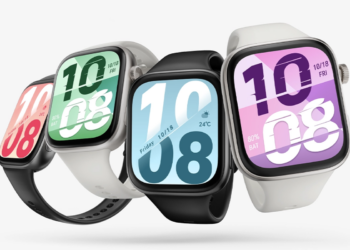
The Honor Watch X5i costs 69 euros for the smartwatch – comes with an AMOLED display and up to 21 days of battery life
The Honor Watch X5i has been brought to Finland for sale as an exceptionally affordable smartwatch. The recommended price is set at 69 euros, but despite that, the feature list is...

DJI Osmo Pocket 4P gets two lenses and 4K/240 fps slow motion
The DJI Osmo Pocket camera lineup has been expanded with the Osmo Pocket 4P model, which for the first time uses two separate cameras. The main camera has a 20mm...

Hisense returns to E Ink phones with the A10 series – the Ultra model features a color display that slides out from the back of the phone
Hisense has returned to E Ink smart phones after a hiatus of several years with the new A10 series. The models released in China include the A10 Pro and A10...

When sound gained a second dimension – the history of stereo in video
Stereo sound is nowadays such an obvious part of listening to music that it hardly even gets thought about. Two channels, left and right,...
 Suomi
Suomi  English